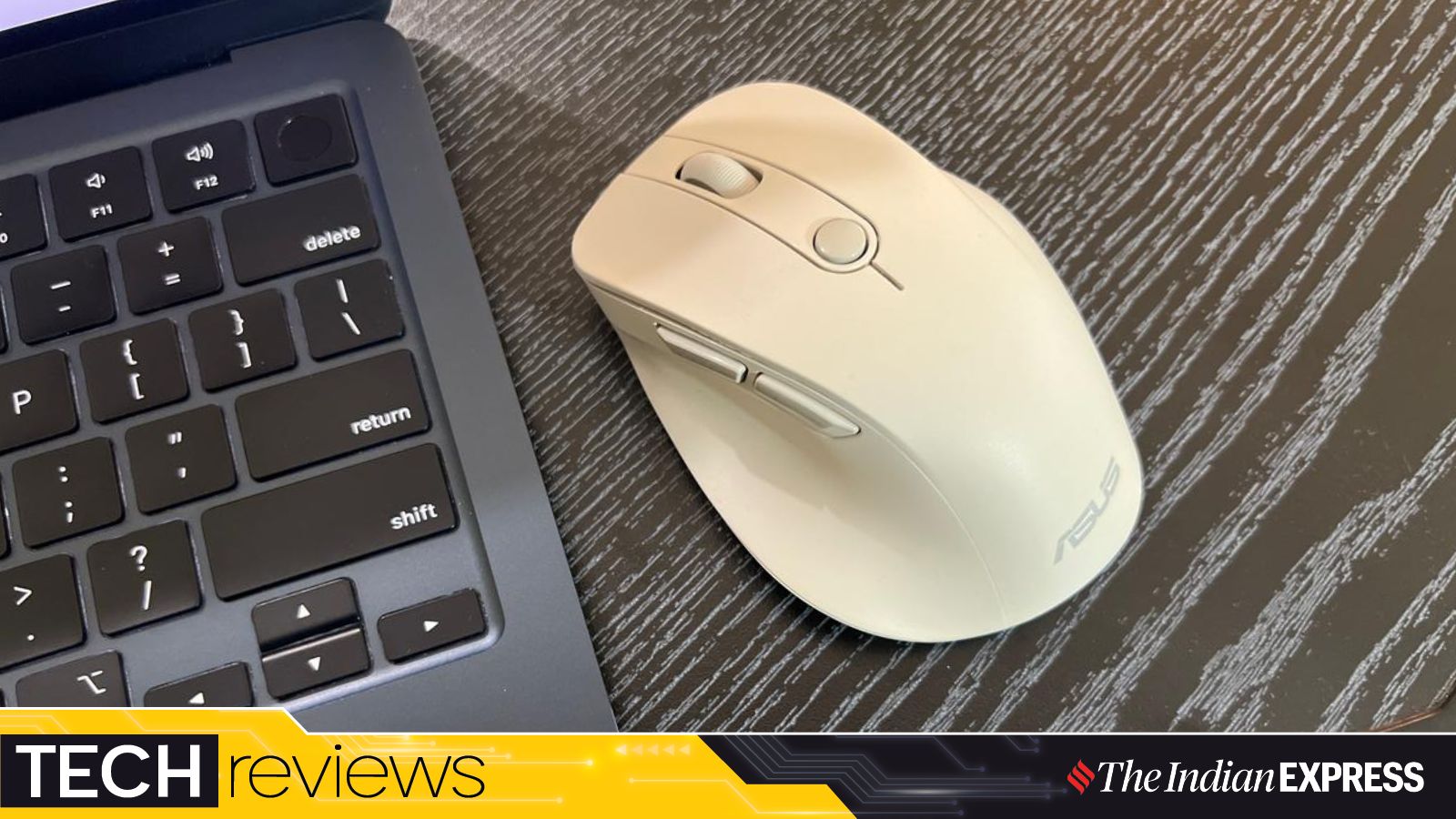
The ASUS Wireless Mouse MD105 offers a blend of ergonomic comfort, dual connectivity, and silent operation, making it a top contender for professional workflows.
- Ergonomic design featuring a built-in thumb rest for extended comfort.
- Dual connectivity support: 2.4GHz wireless (USB dongle) and Bluetooth.
- Silent click technology, ideal for shared workspaces and libraries.
- Adjustable optical sensor with 1,200, 1,600, and 2,400 DPI settings.
In an era where professional workflows demand seamless transitions between devices, the right peripheral can make or break your focus. The ASUS Wireless Mouse MD105 steps into the market not as a flashy gaming accessory, but as a dedicated tool for everyday productivity and reliability.
After testing the MD105 for nearly two weeks, the most striking feature is its ergonomic form factor. Measuring 110 x 72 x 43mm and weighing a mere 66 grams (excluding battery), it provides a lightweight yet substantial feel. The inclusion of a thumb rest is a thoughtful touch, catering to users who prefer a conventional ergonomic grip over the flat, travel-style mice that often cause hand fatigue during long sessions.
Connectivity and Versatility
One of the standout advantages of the MD105 is its dual-mode connectivity. It supports both 2.4GHz wireless via a USB dongle and Bluetooth. This flexibility allows users to effortlessly switch between a MacBook Air and a Dell desktop, for instance, without the need for constant re-pairing. Additionally, the integrated storage compartment for the USB dongle near the battery slot is a practical design choice that prevents the common headache of losing small components.
The ASUS MD105 strikes a perfect balance between simplicity and functionality for the modern professional.
Why This Matters: BozokMedia Analysis
BozokMedia analysis shows that as remote and hybrid work models become permanent, there is a growing demand for peripherals that prioritize long-term physical comfort over RGB lighting and high-polling rates. The MD105 fills a critical niche in the mid-range market, offering premium ergonomic features at a competitive price point of approximately Rs. 3499.
Technically, the mouse is robust enough for general-purpose tasks. The optical sensor's ability to toggle between 1,200, 1,600, and 2,400 DPI ensures that whether you are working on a high-resolution monitor or a small laptop screen, the cursor movement remains precise. Furthermore, the 'quiet click' mechanism is a game-changer for those working in open offices or quiet environments like libraries.
Historical Background
The evolution of computer mice has seen a shift from basic mechanical balls to advanced laser sensors. However, the most significant evolutionary leap has been in ergonomics. As Repetitive Strain Injury (RSI) became a recognized occupational hazard, manufacturers like ASUS began prioritizing natural hand positioning, a trend clearly evident in the MD105's contoured design.
Frequently Asked Questions
1. Is the ASUS MD105 suitable for professional gaming?
No. While it is highly reliable for productivity, gamers looking for high-speed response times and specialized macro buttons should opt for the ASUS ROG series instead.
2. How many devices can it connect to?
The mouse supports connectivity for up to three devices using its dual-mode features.