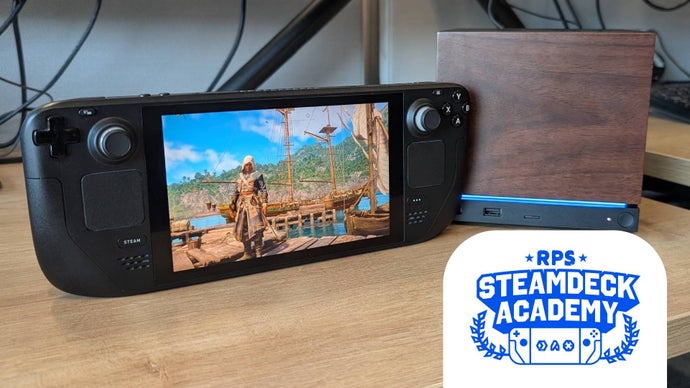
Both the Steam Deck and the newly launched Steam Machine can handle Assassin's Creed Black Flag Resynced when configured correctly. This guide details frame‑rate targets, graphic tweaks, and battery‑life considerations for optimal play.
When Ubisoft released the remastered Assassin's Creed Black Flag Resynced, many portable‑gaming enthusiasts wondered whether the game could live up to its PC pedigree on the Steam Deck and the brand‑new Steam Machine. The game’s “Steam Deck Verified” badge gave a first‑hand guarantee that it would not crash the handheld, but performance still required fine‑tuning. Below we break down the settings that push the title to a steady 30‑45 fps range while keeping power draw in check.
Why This Matters
Black Flag’s remake adds ray‑tracing, higher‑resolution textures, and a more demanding physics engine. While a desktop equipped with an RTX 4060 can breeze through the title, portable devices often hit a ceiling due to limited GPU bandwidth and thermal constraints. Valve’s verification signals that the game is technically compatible, but real‑world play demands a deeper dive into graphics options.
Steam Deck: Step‑by‑Step Optimization
The default Ubisoft Connect build ships with three handheld‑centric presets—High, Medium, Low. On the Deck’s 800p screen the Low preset averages about 28 fps with native TAA, but switching to AMD’s FidelityFX Super Resolution (FSR) in Quality mode nudges the average to roughly 35 fps. To squeeze out more performance we recommend the following custom configuration:
- Dynamic Resolution: Off
- Upscaler: AMD FSR – Balanced
- Ray Tracing: Off
- Character Quality: Ultra Low
- Water Quality: Ultra Low
- Screen‑Space Effects: Low
- …and set the remaining options (Terrain, Shadows, Particles, etc.) to Very or Ultra Low.
With these tweaks the built‑in benchmark records an average of 34 fps—only four frames shy of the Balanced‑only setup—while delivering a noticeably sharper image thanks to the FSR Quality filter. In practice, Balanced proves more forgiving in crowded scenes like Havana’s market, maintaining a 30 fps floor, whereas the Low preset can dip into the teens.
Steam Machine: Unexpected Head‑Room
The newly announced Steam Machine, equipped with a GPU roughly equivalent to an RTX 4060, surprisingly matches desktop‑class frame rates. At 1080p the system can enable optional ray tracing without a dramatic hit to performance, often hovering around 60 fps. This makes the Steam Machine a compelling middle‑ground for players who want a living‑room console experience without sacrificing the flexibility of PC gaming.
Installation Nuances
Because the game is verified only for its Steam version, players who prefer Ubisoft Connect must install the client manually. Switch to Desktop Mode, download the Connect installer, and add it to Steam as a “Non‑Steam Game.” The launcher can be a bit finicky with the Deck’s controller layout, but launching the title with a single A‑button press reliably selects the correct input scheme.
Battery Drain – The Real Limitation
Even with the aggressive low‑settings, Black Flag Resynced drains the original LCD‑based Deck in about 1 hour 19 minutes—slightly faster than the previous Shadows title. The newer OLED Deck model improves endurance marginally, but handheld gamers should still plan for external power if they intend to embark on lengthy voyages.
Looking Ahead
Future Ubisoft patches may expose the full graphics menu on Steam, giving Deck owners the same granular control that PC players enjoy today. Until then, the custom configuration outlined above offers the best compromise between visual fidelity and smooth gameplay on both Steam Deck and Steam Machine.