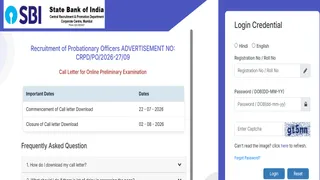
The State Bank of India has issued the 2026 Probationary Officer preliminary exam admit card. Candidates can now download their hall tickets via the official website or a direct link, with the final download deadline set for August 2. The exam is scheduled for August 1‑2.
Key Takeaways
- SBI PO 2026 admit card officially released
- Direct link enables download until August 2
- Preliminary exam slated for August 1 and 2
SBI has released the official admit card for its Probationary Officer (PO) recruitment’s preliminary stage. Aspirants can download the hall ticket by visiting the sbi.co.in career section or by clicking the direct download link provided on this page. The last date for downloading the admit card is August 2, making timely action essential.
Historical Background
The SBI PO exam has been one of India’s most competitive government job tests since its inception in 1998. Over the years, the exam’s difficulty level and selection criteria have evolved to ensure that only the most qualified candidates secure positions, attracting thousands of applicants annually.
Why This Matters
According to BozokMedia analysis, the timely availability of the admit card provides candidates with psychological stability and ample preparation time. Without a valid hall ticket, entry to the exam centre is denied, exposing many aspirants to unnecessary stress and wasted effort.
Furthermore, this recruitment drive underscores SBI’s strategy to attract young talent, which can enhance operational efficiency and customer service, ultimately benefiting the broader economy and financial inclusion.
"Adhering to the admit‑card deadline is a decisive factor in a candidate’s success," notes banking analyst Anshu Sharma.
Frequently Asked Questions
- Q: Can I download the admit card on my mobile?
A: Yes, the official website is mobile‑friendly and allows you to log in and download the card from any smartphone. - Q: What should I do if the admit card fails to download?
A: Verify that you are using the correct registration number and password; if the issue persists, contact SBI helpline or the website’s support section.

:max_bytes(150000):strip_icc():focal(749x0:751x2)/nic-olandria-1-05dc781dea064d04a695f58e1b32c464.jpg)