Looking to save Instagram Reels, videos, or stories for offline viewing? Learn how to use browser-based tools like Grabfy to download high-quality content without installing risky apps.
- Grabfy is a browser-based tool requiring no app installation or Instagram password.
- Users can download public Reels, videos, photos, and stories in HD quality.
- The tool only supports public profiles; private content remains inaccessible.
- Downloaded content should be used for personal use only to respect copyrights.
In today's fast-paced digital landscape, Instagram has evolved into a massive repository of entertainment, education, and inspiration. From viral Reels to fleeting Stories, users often find content they wish to preserve for offline viewing. This is where an Instagram video downloader becomes an essential tool for the modern social media user.
Tools like Grabfy.com offer a seamless, web-based solution. Unlike many third-party applications that demand access to your personal account, browser-based downloaders work directly in your web browser. This eliminates the need to install potentially malicious software or, more importantly, reveal your Instagram credentials, ensuring a higher level of data privacy.
The Three-Step Download Process
The workflow for saving media is designed for maximum efficiency. First, navigate to the desired public content on Instagram and use the share option to copy the link. Second, navigate to the downloader website and paste the URL into the provided input field. Finally, select the download option that matches your required quality, such as HD MP4 for videos or high-resolution JPG for images.
Why This Matters
BozokMedia analysis shows that as social media algorithms change and content becomes increasingly ephemeral—such as Stories disappearing after 24 hours—users are seeking more control over their digital consumption. Having a local copy of a tutorial, a recipe, or an educational clip ensures that valuable information is available even without an internet connection.
Using browser-based tools is significantly safer than mobile apps, as it prevents the exposure of sensitive login credentials to unknown developers.
Understanding Content Capabilities
It is crucial to distinguish between what can and cannot be legally and technically downloaded. A public downloader is highly effective for:
- Instagram Reels: Capturing high-definition short-form videos.
- Stories & Highlights: Saving temporary content before it expires.
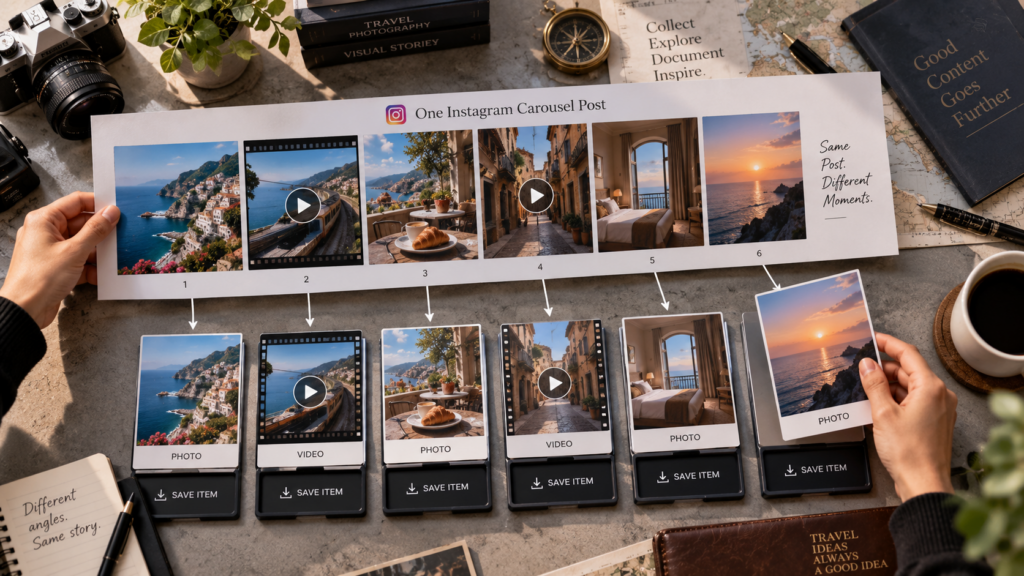
- Carousels: Downloading multiple images or videos within a single post.
However, users must respect privacy boundaries. Private profiles, 'Close Friends' stories, and deleted posts are protected by Instagram's security protocols and cannot be accessed through legitimate public downloading tools.
Frequently Asked Questions
Question 1: Do I need to log in to my Instagram account to use a downloader?
Answer: No, reputable browser-based downloaders like Grabfy do not require you to log in, making them safer for your account.
Question 2: Is it legal to download Instagram content?
Answer: Downloading public content for personal, offline viewing is generally acceptable, but you must never redistribute or use copyrighted material for commercial purposes without permission.